


Wordscapes Uncrossed
4.74.37K Reviews
App Specs
- Version
- 1.8.0
- Updated On
- License
- Free
- Downloads
- 1,000,000+
- Developer
- PeopleFun
- Categories
- Word
- Platform
- Android
Screenshots
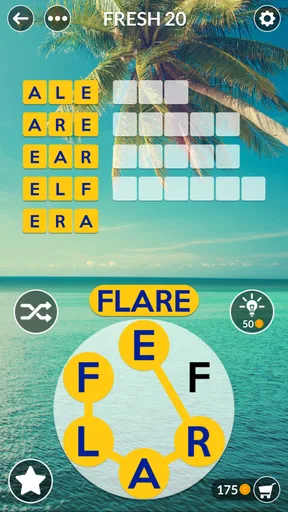
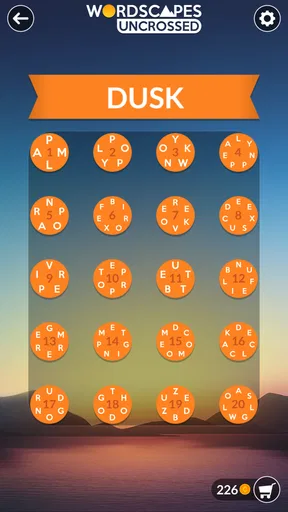
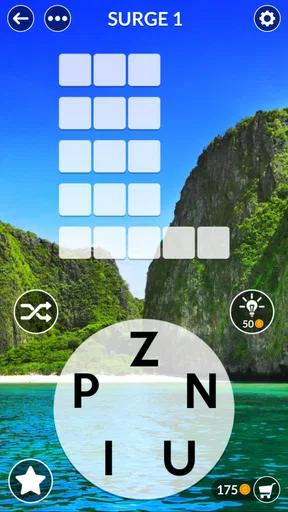
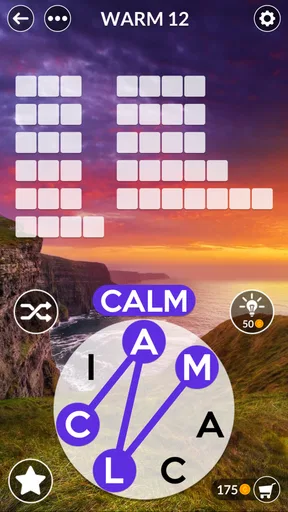
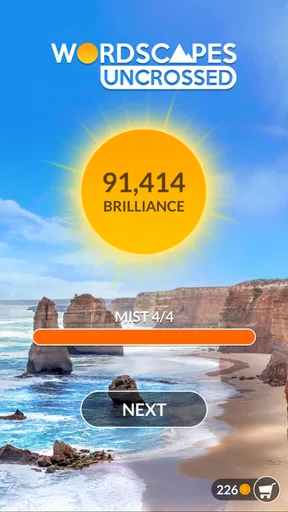
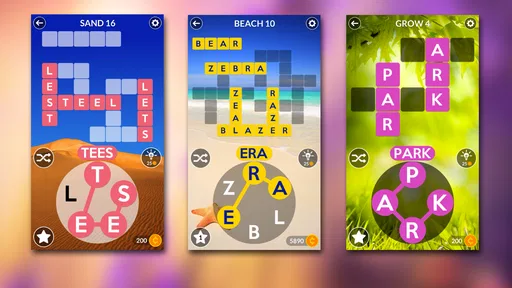


 Analysis by AppCompare
I tend to judge a word game by how quickly I can get into a puzzle and whether it still feels pleasant after several rounds. Wordscapes Uncrossed is a casual letter-linking game from PeopleFun, and its appeal is easy to understand: it turns a small set of letters into a succession of word-finding tasks without asking for a long commitment. It’s a good fit when I want something focused but low-pressure, though the familiar format may not hold everyone’s attention for long.
Quick sessions, with a gentle start
The early puzzles make it straightforward to learn the central idea: connect the available letters to form words. That simple entry point matters when I’m opening a game for a few minutes between errands rather than settling in for a long session. The pace feels approachable at first, then asks for more thought as the puzzles grow more involved. I like that gradual change, but players who want a difficult brainteaser from the first screen may find the opening too easy.
For everyday use, I’d treat it as a small break rather than a game that needs my full evening. A realistic moment is waiting for a friend at a café: I can work through a puzzle, stop when they arrive, and return to the game later without needing to remember a complicated plan. That pick-up-and-put-down quality is one of its strongest practical advantages. It also suits a quiet commute when I’m seated, though I wouldn’t recommend trying to focus on letter puzzles while navigating a busy journey.
What the letter puzzles ask of you
At a glance, connecting letters to find words seems like a familiar word-game routine. The interesting part is how a small group of letters can invite several possibilities, making me pause over whether I’ve overlooked a shorter or less obvious word. My useful habit is to scan for common beginnings and endings, then try a different letter order rather than repeatedly tapping the same guess. It keeps a stuck moment productive without turning every puzzle into random trial and error.
The difficulty curve gives the game room to become more demanding, but it remains a casual word game rather than a deep vocabulary course. Finding a word can expose me to something I don’t use often, yet I wouldn’t rely on it alone to teach definitions or pronunciation. If learning precise vocabulary is the main goal, a dictionary or a dedicated language-learning tool is a better companion. Here, the pleasure is chiefly in spotting a valid arrangement and moving on.
Speed, interruptions, and longer play
The game’s uncomplicated puzzle format creates a quick route from opening it to thinking about words, which is what I want from a short-session title. I can’t promise identical performance on every device, but there’s nothing about the basic play style that calls for fast reflexes or elaborate preparation. That makes it easier to fit around ordinary pauses than action games that demand continuous attention.
Longer sessions have a different trade-off. The same letter-linking loop that feels calming for a few puzzles can become repetitive if I keep playing without a break, especially when I’m no longer enjoying the search and am just trying to clear the next task. I’d take a short pause or switch activities at that point. The soothing presentation helps the game feel relaxed, but it doesn’t make every round endlessly varied.
Worth Reading Before You Choose

EA SPORTS FC Mobile 26 Is a Bigger Football Game, but It Takes Time

Flipboard Shows What News Apps Must Do Beyond the Feed

Switching to Android Auto Means Rethinking Your Driving Routine

Google Calendar Makes a Crowded Week Easier to Manage

Ludo King Makes the Most of the Minutes Between Plans

Baby Panda World Brings Quick Play to Modern Phones, but Its Game Library Feels Busy
As a word game, it sits closer to solo word searches and letter puzzles than to head-to-head word-board games. I don’t need an opponent to be available, and I can play at my own pace; in return, I miss the negotiation and back-and-forth of a match with another person. If friendly competition is the main draw, a multiplayer word game is likely a better choice. If I want a quiet puzzle I can leave and resume, this format makes more sense.
Who will enjoy it, and who may not
I’d recommend it to casual players who enjoy spotting words, want a gentle challenge, or prefer a game that can fit into spare moments. Its Teen content rating is worth noting for anyone choosing games for a younger player. The title is free to download, with in-app purchases listed from $0.99 to $49.99 per item, so I’d check purchase settings before handing a device to a child. Paying isn’t a requirement for the basic appeal of solving word puzzles, but people who want an entirely purchase-free environment should take that option into account.
It may be a poor match if you want elaborate story, fast action, deep strategic choices, or constant variety. It also won’t replace a social game night: even with a leaderboard, the core activity is still solving letter puzzles rather than talking through a shared match. I’d choose it for a calm solo break, not as my first pick when I’m looking to play with friends.
Getting Started with Wordscapes Uncrossed
So, here's the deal. You download Wordscapes Uncrossed and, boom, you're greeted with a clean, inviting interface. It's like a warm hug for your brain. The game starts off easy, which I appreciate because who wants to feel like a dummy right out of the gate?
Once you hit the play button, you're presented with a bunch of letters. Your job? Connect these letters to form words. Sounds simple, right? Well, it is at first, but trust me, the challenges ramp up pretty quickly. The game does a great job at making you feel smart and then gently reminding you that you’ve got room to grow.
Why It’s a Must-Download
Alright, let’s talk about why this game deserves a spot on your phone. First off, the game is free. Who doesn't love free stuff? Of course, there are in-app purchases, but they aren't obnoxious. You can enjoy the game without feeling pressured to spend money, which is a big win in my book.
The graphics are simple yet elegant. It’s not over-the-top flashy, which I think is perfect for a word game. It lets you focus on what really matters – solving those puzzles. Plus, the soothing background music is a nice touch. It's like having a spa day for your brain.
Diving Deeper into the Gameplay
The game’s progression is well-paced. You start off with a few letters and as you move forward, the puzzles get more complicated. But here’s the kicker – the game feels rewarding. Every time you solve a puzzle, it's like an "aha" moment that keeps you coming back for more.
One feature I really dig is the daily challenges. They’re a fun way to shake things up and earn some bonus coins. Plus, if you’re the competitive type, there’s a leaderboard to see how you stack up against other players. It's a great way to get those competitive juices flowing without breaking a sweat.
Perfect for All Occasions
Whether you’re on a long commute, chilling on your lunch break, or simply killing time, Wordscapes Uncrossed fits perfectly into your day. It’s not overly demanding, so you can easily pick it up and put it down without losing your flow.
And if you're like me, someone who sometimes struggles with the English language, the game is a sneaky way to expand your vocabulary. You might even impress your friends with a few fancy words next time you're playing Scrabble or Words with Friends.
Device fit and expectations
The game is listed for Android devices running version 6.0 or later, which gives older compatible phones a chance to run it. That requirement alone doesn’t tell me how smoothly it will behave on every handset, so I’d avoid promising identical speed or battery use across devices. Since the puzzles don’t depend on reflexes, a slight pause would be less disruptive than it would be in a fast action game, but a sluggish device can still make frequent short sessions less comfortable.
For anyone trying to keep a phone responsive, the sensible approach is to close other demanding apps if the device already feels bogged down, then see how the game behaves in a normal session. That is general device housekeeping, not a special setting I’m claiming the game includes. I’d also keep play sessions moderate if battery life is a concern; the calm pace makes it easy to lose track of time, even though the game itself doesn’t require continuous attention.
Stability and getting back into a puzzle
A word puzzle is forgiving when you need to pause: there’s no opponent waiting on a move and no fast sequence to memorize. That makes interruptions less stressful than in a timed or competitive match. Still, I wouldn’t assume that progress recovery works in a particular way after an unexpected shutdown or reinstall. If I had reached a meaningful point, I’d avoid deleting the game casually and would check any account or device options shown in the app before changing phones.
PeopleFun’s game has been available since November 20, 2017, and its current version is 1.8.0. Those details provide context for a title with an established presence, but they aren’t a guarantee that every device will be free of glitches. The useful question for a new player is whether it runs comfortably on their own phone. I’d try a few short sessions before deciding whether it belongs in my regular rotation, especially on an older device.
A few practical ways to get more from it
When I’m stuck, I find it more useful to change my approach than to keep staring at the same letter sequence. I’ll look for a familiar prefix or ending, then deliberately test a different starting letter. If that still goes nowhere, stepping away for a minute can help; returning with fresh eyes often beats making hurried guesses. This is a simple strategy, but it preserves the satisfying discovery that makes these puzzles work.
The daily challenges give regular players a reason to return, while the leaderboard offers a light competitive angle. I’d treat both as optional extras rather than the reason to install the game: the core enjoyment is still the word search itself. If competition starts making a relaxing break feel like an obligation, ignoring the ranking is a perfectly reasonable way to keep the experience casual.
Wordscapes Uncrossed is the sequel to a word game played by over 10 million people, and it has a 4.7 average from around 18,000 ratings, with more than 1 million installs. Those figures suggest that many players have taken to this style, but they don’t settle whether it suits your tastes. I’d use them as a sign that it’s a familiar, well-established kind of casual game, then make the decision based on whether connecting letters is satisfying for you.
Wrapping It Up
In a nutshell, Wordscapes Uncrossed is a delightful blend of challenge and relaxation. It’s one of those games that checks all the boxes: it’s fun, it’s free, and it nudges your brain into gear. Whether you’re a word game aficionado or just someone looking for a new way to unwind, this app is worth a download. So go ahead, give it a whirl, and let your inner wordsmith shine!
My recommendation is a little more specific: I’d try it if you want an uncomplicated solo word puzzle that fits into spare moments, and skip it if you need a fresh mechanic, a strong social component, or a more demanding challenge right away. Its simple presentation and gradually harder rounds are a pleasant match for a quiet break, while repetition is the main reason I’d put it down. For me, it works best in small doses, with the daily challenge or leaderboard as optional reasons to return rather than obligations.
Pros
- Engaging puzzles keep you entertained.
- Beautiful
- calming background themes.
- User-friendly interface
- easy navigation.
- Frequent updates with new levels.
- Offline play available anytime.
Cons
- Ads can be intrusive and frequent.
- In-app purchases can be costly.
- Limited hints without spending money.
- Repetitive puzzles at higher levels.
- Battery drain on prolonged use.
FAQs for Wordscapes Uncrossed
What is Wordscapes Uncrossed, and how does it differ from Wordscapes?
Wordscapes Uncrossed is a captivating word puzzle game that challenges players to connect letters and form words without a grid. Unlike Wordscapes, which uses a crossword-style format, Wordscapes Uncrossed offers a free-form experience where you swipe letters to create words, bringing a fresh twist to the word puzzle genre.
Is Wordscapes Uncrossed available for both Android and iOS devices?
Yes, Wordscapes Uncrossed is available for download on both Android and iOS platforms. You can easily find it on the Google Play Store for Android devices and the Apple App Store for iOS devices, ensuring accessibility for a wide range of users.
Are there any in-app purchases or ads in Wordscapes Uncrossed?
Wordscapes Uncrossed is free to download and play. However, it does offer in-app purchases for hints and other game features. Additionally, users may encounter ads while playing. These can usually be removed by opting for a premium version or purchasing ad-free access.
What are the key features of Wordscapes Uncrossed that enhance gameplay?
Wordscapes Uncrossed features thousands of levels with increasing difficulty, daily challenges to keep players engaged, and a soothing background that enhances the gaming experience. Its intuitive interface and simple swipe mechanics make it accessible for all ages, providing hours of entertainment.
Can Wordscapes Uncrossed be played offline?
Yes, Wordscapes Uncrossed can be played offline, making it a great option for those who want to enjoy the game without an internet connection. This feature allows players to continue solving puzzles without interruptions, perfect for on-the-go gaming.


